> ## Documentation Index
> Fetch the complete documentation index at: https://epayclub.com/llms.txt
> Use this file to discover all available pages before exploring further.
# Webhooks
> Manage transaction webhooks.
Webhooks allow us to notify you about important events or changes in your payments. Your webhook URL should be an endpoint on your server where you can receive these notifications. Whenever your payments are updated, we'll send you a hook containing the transaction information, payment status, and customer information.
Not all transactions require you to listen for webhooks, just asynchronous payments or actions that would not be completed in real time.
## Setting up your Webhooks
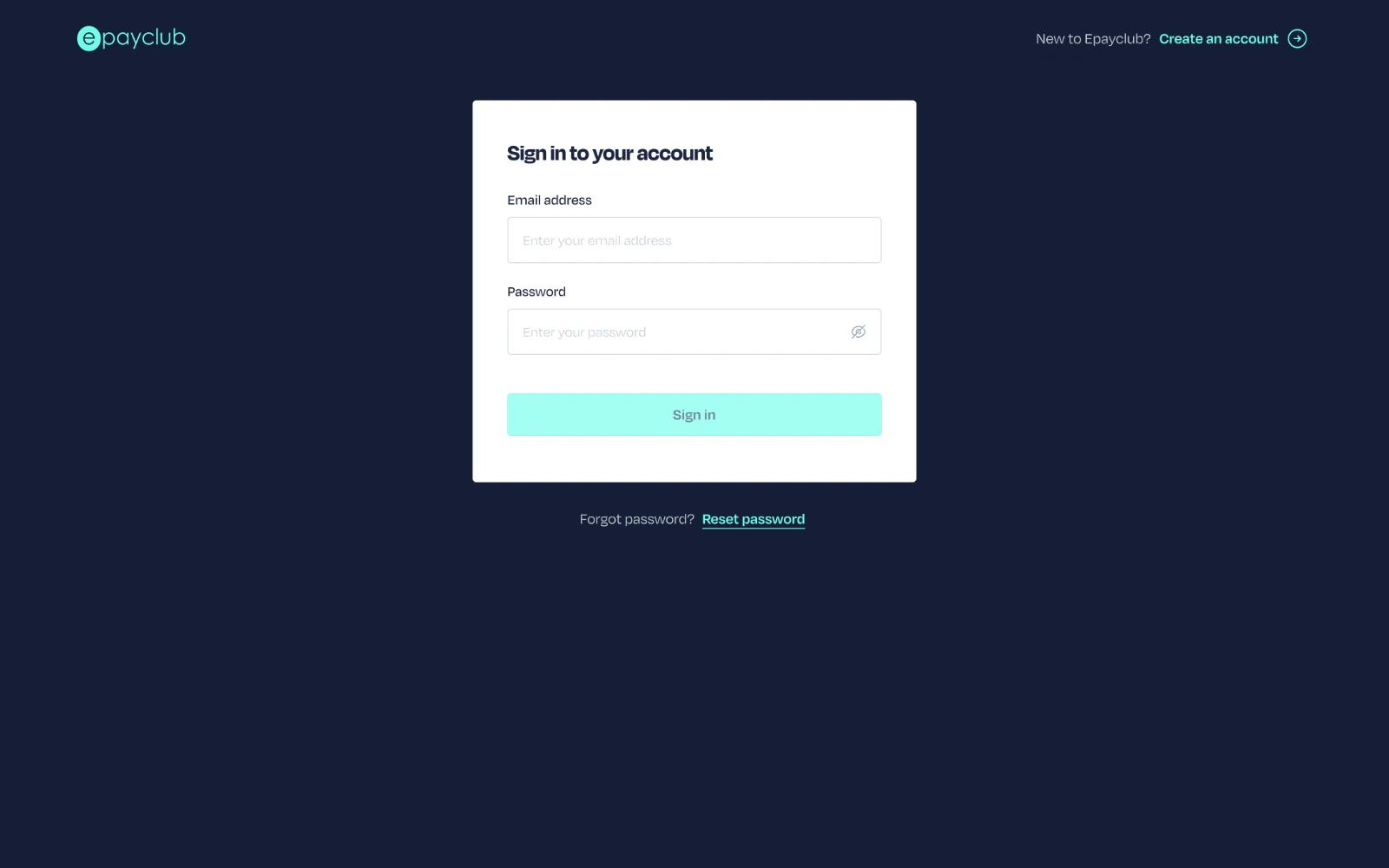
Log in to your EPayClub dashboard using your email and password.
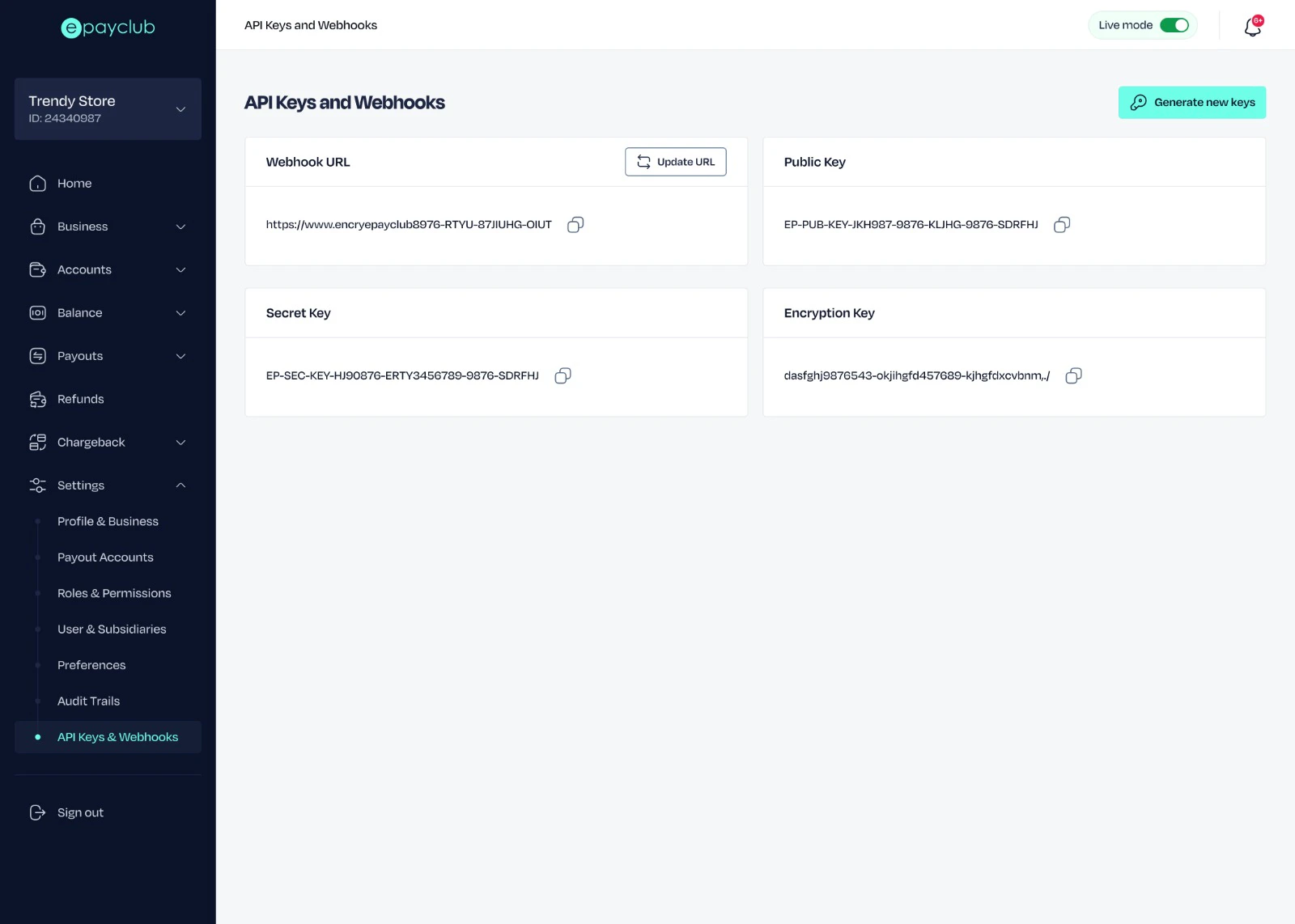
 Select `API Keys and Webhooks` from your settings menu.
 Add your server's webhook endpoint to the webhook URL field.
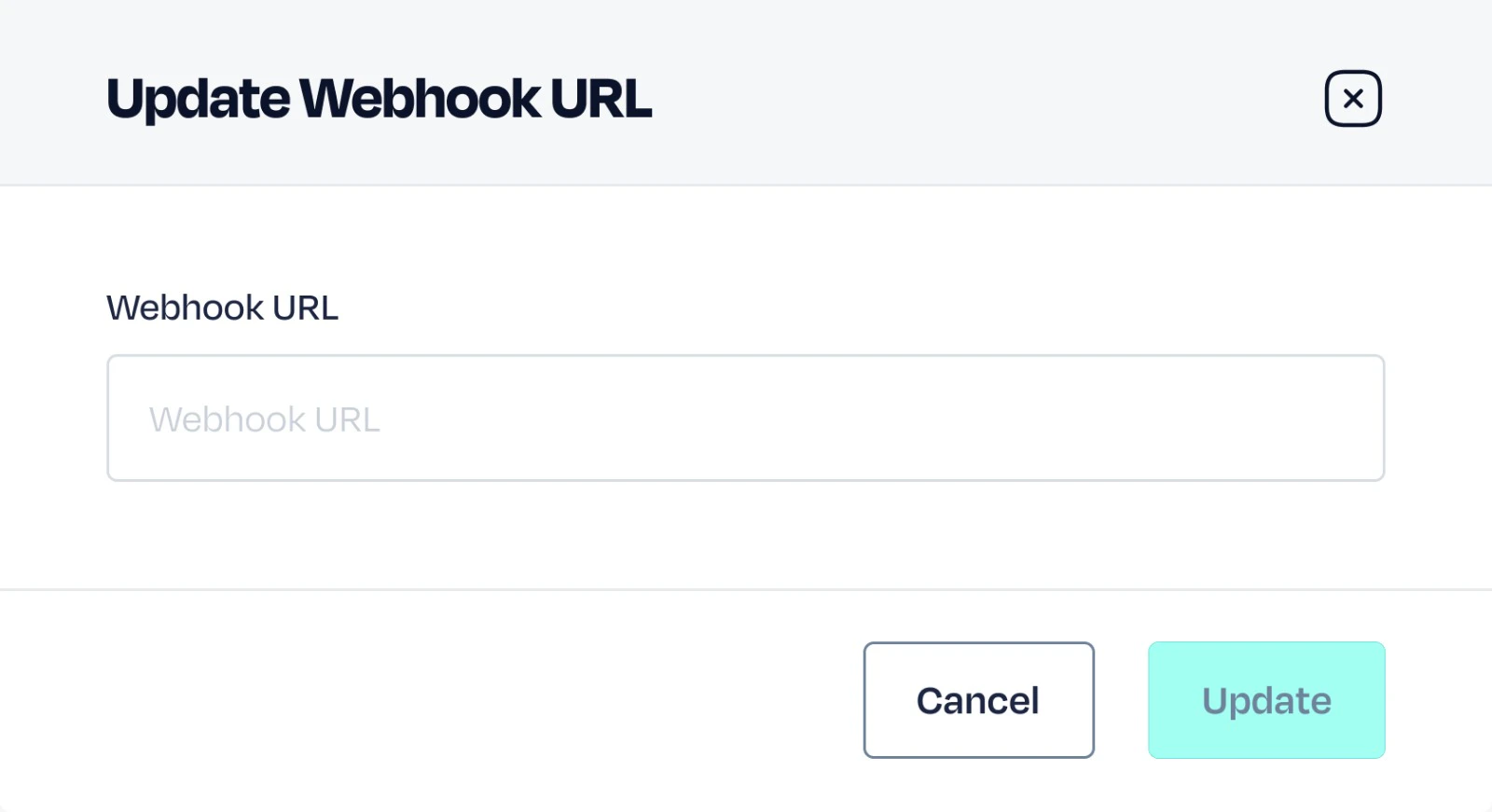 Save your settings update.
## Webhook Structure
When you receive a webhook, each event is a JSON object with:
1. `response.data` : This object contains the actual transaction and order information.
2. `response.data.customer` : This object returns customer-related information to confirm who completed the payment.
3. `response.data.orderPayments` : This returns the order status and other important order-related information.
```json Webhook Example [expandable] theme={null}
{
"data":{
"orderReference":"911276742",
"paymentReference":"EPCLB-2B8B5E0B140811F093AB06BA2661E92B",
"productName":"Collection",
"totalAmountCharged":90.1000,
"statusId":5,
"status":"Successful",
"paymentMethod":"Card Payment",
"paymentResponseCode":"00",
"paymentResponseMessage":"Transaction was completed successfully",
"narration":"Pay",
"remarks":"Order initiated and created successfully",
"currencyId":6,
"paymentLinkId":null,
"paymentLinkReference":null,
"recurringPaymentId":null,
"recurringPaymentReference":null,
"currencyName":"USD",
"fee":5.1000,
"feeRate":5.1000,
"subsidiaryFee":0.0000,
"customerFee":5.1000,
"dateCreated":"2025-04-07T23:29:37",
"dateUpdated":"2025-04-07T23:30:16.71518",
"datePaymentConfirmed":null,
"orderPayments":[
{
"orderId":345,
"orderPaymentReference":"PGW-PAYREF-AC671CD06A584E5E841F4F06ECFEDDC2",
"paymentOptionId":2,
"paymentOption":"Card Payment",
"statusId":5,
"status":"Successful",
"responseCode":"00",
"responseMessage":"Transaction was completed successfully",
"orderPaymentInstrument":null,
"remarks":"Order payment initiated",
"dateCreated":"2025-04-07T23:29:38.631952",
"dateUpdated":"2025-04-07T23:30:16.715338"
}
],
"customer":{
"customerId":"jones@gmail.com",
"firstName":"James",
"lastName":"Jones",
"emailAddress":"jones@gmail.com",
"countryShortName":"GB",
"customerGroup":"Default",
"countryId":1,
"globalStatusId":2,
"globalStatus":"Active",
"mobileNumber":"08101234542",
"isBlacklisted":false,
"reasonBlacklisted":null,
"dateCreated":"2025-02-13T02:42:39",
"dateUpdated":null
},
"cardDetails":[
{
"orderPaymentId":332,
"status":true,
"country":"NG",
"cardToken":"TKNNTc2OTY1OTc5ODA1MDk2NDUwMTY4MTc0MzQ0MTU3119",
"cardExpiryMonth":"12",
"cardExpiryYear":"27",
"cardType":"MASTERCARD",
"cardIssuer":"MASTERCARD",
"cardFirstSixDigits":"555555",
"cardLastFourDigits":"4444",
"dateCreated":"2025-04-07T23:30:16.729971",
"appEnvironmentId":1
}
],
"paymentLink":null
},
"status":"success",
"statusCode":"00",
"message":"Order details fetched successfully"
}
```
## Best Practices
1. Acknowledge webhook receipt promptly to prevent timeouts, return a 200 HTTP status code immediately, and offload long-running tasks.
```javascript Express.js theme={null}
const express = require('express');
const app = express();
app.use(express.json());
async function processWebhook(payload) {
// Long running task
console.log(`Processing payload:`, payload);
}
app.post('/webhook', (req, res) => {
const payload = req.body;
setTimeout(() => processWebhookAsync(payload), 0); // Simulating async execution
res.json({ status: "OK" });
});
const PORT = 3000;
app.listen(PORT, () => {
console.log(`Server is running on port ${PORT}`);
});
```
```python Python theme={null}
from flask import Flask, request, jsonify
import threading
app = Flask(__name__)
def process_webhook_async(payload):
# Long running task
print(f"Processing payload: {payload}")
@app.route('/webhook', methods=['POST'])
def webhook():
payload = request.get_json()
threading.Thread(target=process_webhook_async, args=(payload,)).start()
return jsonify({"status": "OK"}), 200
```
2. Prevent duplicate actions and validate data consistency. Re-query the API to verify data, and track processed events.
```javascript Node.js theme={null}
async function processWebhook(payload) {
const existingEvent = await db.collection('events').findOne({ id: payload.id });
if (existingEvent) {
console.log("duplicate event");
return;
}
//Validate data with your API.
const validatedData = await validateWithApi(payload);
if (validatedData) {
await db.collection('events').insertOne(payload);
//Perform action.
}
}
```
```python Python theme={null}
def process_webhook_async(payload):
existing_event = await db["events"].find_one({"id": payload["id"]})
if existing_event:
print("Duplicate event")
return
# Validate data with your API.
validated_data = await validate_with_api(payload)
if validated_data:
await db["events"].insert_one(payload)
# Perform action.
@app.route('/webhook', methods=['POST'])
def webhook():
payload = request.get_json()
asyncio.create_task(process_webhook_async(payload))
return jsonify({"status": "OK"})
```
3. Set up a back polling job for cases of downtime with your webhook server.
Save your settings update.
## Webhook Structure
When you receive a webhook, each event is a JSON object with:
1. `response.data` : This object contains the actual transaction and order information.
2. `response.data.customer` : This object returns customer-related information to confirm who completed the payment.
3. `response.data.orderPayments` : This returns the order status and other important order-related information.
```json Webhook Example [expandable] theme={null}
{
"data":{
"orderReference":"911276742",
"paymentReference":"EPCLB-2B8B5E0B140811F093AB06BA2661E92B",
"productName":"Collection",
"totalAmountCharged":90.1000,
"statusId":5,
"status":"Successful",
"paymentMethod":"Card Payment",
"paymentResponseCode":"00",
"paymentResponseMessage":"Transaction was completed successfully",
"narration":"Pay",
"remarks":"Order initiated and created successfully",
"currencyId":6,
"paymentLinkId":null,
"paymentLinkReference":null,
"recurringPaymentId":null,
"recurringPaymentReference":null,
"currencyName":"USD",
"fee":5.1000,
"feeRate":5.1000,
"subsidiaryFee":0.0000,
"customerFee":5.1000,
"dateCreated":"2025-04-07T23:29:37",
"dateUpdated":"2025-04-07T23:30:16.71518",
"datePaymentConfirmed":null,
"orderPayments":[
{
"orderId":345,
"orderPaymentReference":"PGW-PAYREF-AC671CD06A584E5E841F4F06ECFEDDC2",
"paymentOptionId":2,
"paymentOption":"Card Payment",
"statusId":5,
"status":"Successful",
"responseCode":"00",
"responseMessage":"Transaction was completed successfully",
"orderPaymentInstrument":null,
"remarks":"Order payment initiated",
"dateCreated":"2025-04-07T23:29:38.631952",
"dateUpdated":"2025-04-07T23:30:16.715338"
}
],
"customer":{
"customerId":"jones@gmail.com",
"firstName":"James",
"lastName":"Jones",
"emailAddress":"jones@gmail.com",
"countryShortName":"GB",
"customerGroup":"Default",
"countryId":1,
"globalStatusId":2,
"globalStatus":"Active",
"mobileNumber":"08101234542",
"isBlacklisted":false,
"reasonBlacklisted":null,
"dateCreated":"2025-02-13T02:42:39",
"dateUpdated":null
},
"cardDetails":[
{
"orderPaymentId":332,
"status":true,
"country":"NG",
"cardToken":"TKNNTc2OTY1OTc5ODA1MDk2NDUwMTY4MTc0MzQ0MTU3119",
"cardExpiryMonth":"12",
"cardExpiryYear":"27",
"cardType":"MASTERCARD",
"cardIssuer":"MASTERCARD",
"cardFirstSixDigits":"555555",
"cardLastFourDigits":"4444",
"dateCreated":"2025-04-07T23:30:16.729971",
"appEnvironmentId":1
}
],
"paymentLink":null
},
"status":"success",
"statusCode":"00",
"message":"Order details fetched successfully"
}
```
## Best Practices
1. Acknowledge webhook receipt promptly to prevent timeouts, return a 200 HTTP status code immediately, and offload long-running tasks.
```javascript Express.js theme={null}
const express = require('express');
const app = express();
app.use(express.json());
async function processWebhook(payload) {
// Long running task
console.log(`Processing payload:`, payload);
}
app.post('/webhook', (req, res) => {
const payload = req.body;
setTimeout(() => processWebhookAsync(payload), 0); // Simulating async execution
res.json({ status: "OK" });
});
const PORT = 3000;
app.listen(PORT, () => {
console.log(`Server is running on port ${PORT}`);
});
```
```python Python theme={null}
from flask import Flask, request, jsonify
import threading
app = Flask(__name__)
def process_webhook_async(payload):
# Long running task
print(f"Processing payload: {payload}")
@app.route('/webhook', methods=['POST'])
def webhook():
payload = request.get_json()
threading.Thread(target=process_webhook_async, args=(payload,)).start()
return jsonify({"status": "OK"}), 200
```
2. Prevent duplicate actions and validate data consistency. Re-query the API to verify data, and track processed events.
```javascript Node.js theme={null}
async function processWebhook(payload) {
const existingEvent = await db.collection('events').findOne({ id: payload.id });
if (existingEvent) {
console.log("duplicate event");
return;
}
//Validate data with your API.
const validatedData = await validateWithApi(payload);
if (validatedData) {
await db.collection('events').insertOne(payload);
//Perform action.
}
}
```
```python Python theme={null}
def process_webhook_async(payload):
existing_event = await db["events"].find_one({"id": payload["id"]})
if existing_event:
print("Duplicate event")
return
# Validate data with your API.
validated_data = await validate_with_api(payload)
if validated_data:
await db["events"].insert_one(payload)
# Perform action.
@app.route('/webhook', methods=['POST'])
def webhook():
payload = request.get_json()
asyncio.create_task(process_webhook_async(payload))
return jsonify({"status": "OK"})
```
3. Set up a back polling job for cases of downtime with your webhook server.